Streams and Secrets
BRabbit Lab
P3rf3ct, is a renowned security company in KE. Unfurtunately, a highly targeted sabotage attack was carried out on an user’s machine who accidently excuted malicious scripts and sensitive secrets file encrypted. However, the attackers made a crucial mistake and left traces on the system. You have been tasked with recovering the encrytion key and decrypting the file as part of the recovery operations. You have been provided with the following files.
Reasoning for challenge creation - I created this challenge to help users learn and trigger their curiosity on MFT files and learn further. Hope you enjoyed this challenge.
Challenge 1
- Whats the username of the targeted user?
root{Analyst}
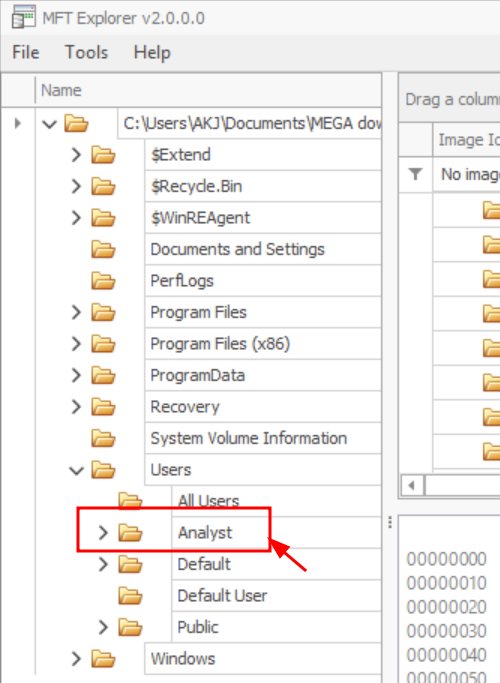
- Load the MFT dump file on MFT explorer and scroll thorugh the C:\Users folder. One windows user (Analyst) is on the system.
Challenge 2
When was the secret file last modified? Format: YYYY-MM-DD HH:MM:SS
r00t{2024-10-07_21:52:47}
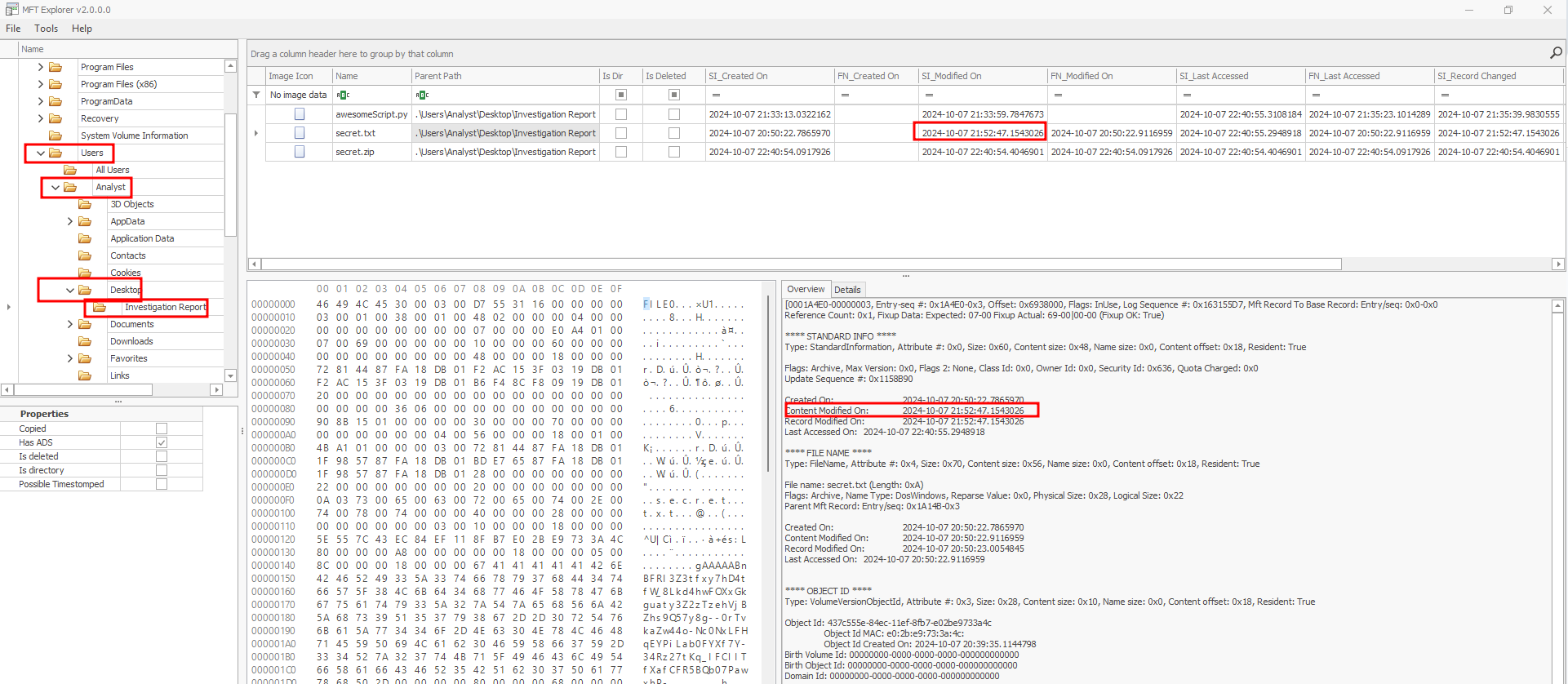
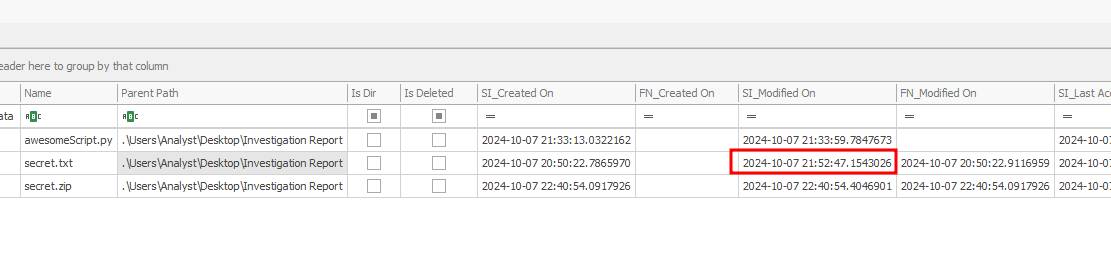
- Exploring the analysts folder, you’ll find a file named secret.txt under the folder: C:\Users\Analyst\Desktop\Investigation Report\secret.txt from which we can check the file modification dates.
- Two attributes are noted: SI_Modified On and FN_Modified On. To understand this better, This can be explained as:
- SI(STANDARD_INFORMATION) ATTRIBUTE - This contains the system wide timestamps that you will see when viewing file properties in windows exploer.
- Its updated in real time when a file’s content is modified.
- FN(FILE_NAME) ATTRIBUTE - This is only updated during specific events, such as when the file is initially created, renamed or moved to a different directory.
- With this above, the file was thus last modified on the date specified on the SI_Modified On date.
Challenge 3
What is the logical size of the file in bytes? (in decimal format)
r00t{34}
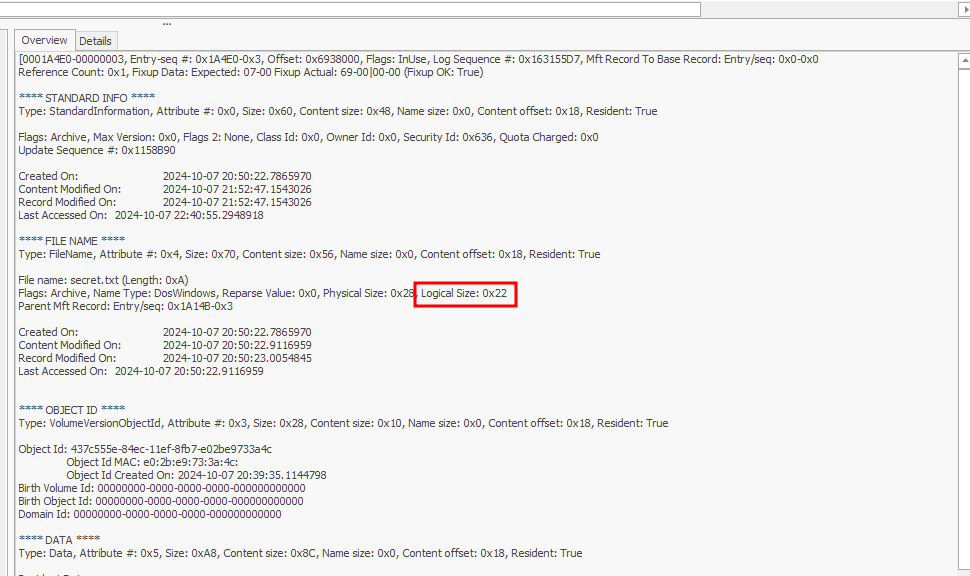
- On MFT Explorer, we need to check the size of the file under the file properties section.
- Two sizes are noted and can be expounded as below:
- Logical size (0x22)
-
This is the acutal size of the content inside the file.
-
MFT Explorer often displays this data in hexadecimal format which will need to be converted back to decimal format to get our value.
-
Our value is 0x22 which converted to decimal will give us 34 bytes.
- Physical size (0x28)
- This is the allocated space for the file on the disc. Remember NTFS allocates space in 8 byte allignments which would mean the extra 2 bytes after 32 get allocated into the next section (+8) totaling the size to 40.
Challenge 4
Find the encryption key used to encrypt the file. *root{MVJhfcwOV33RxMzyF1H6J9X5IVbyfzHbVHMqXP6HN7Q=}
-
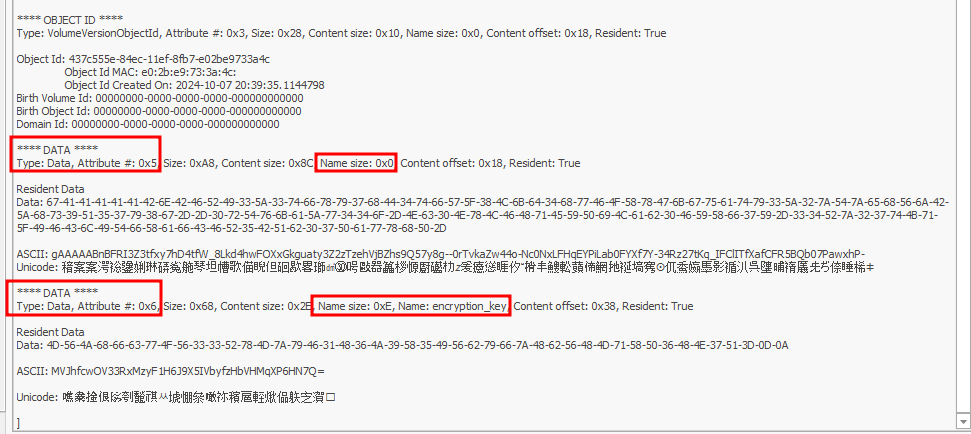
Looking under the secret.txt file properties, several things are noted. We have two ASCII data content but one has more attributes than the other.
-
(When viewing ascii text files on MFT, this is usually stored in ASCII format under the file properties).
-
On attribute 0x5, it says Name size: 0XO and has no named field. This is the files’s main content.
-
On attribute 0x6. the name size is: 0xE and Name: encryption_key. what does this mean for a normal user?
-
A normal user viewing the file on a text editor will only see the main file content, but wont see the data on 0x6 effectively hiding this data from the naked eye.
-
This is what is normal as an Alternate Data Stream in windows. ADS allows a single file to hold multiple, separate hidden sets of data.
-
Note that this is normally added sequentially and if another ADS was added it would get the attribute 0x7 and so on.
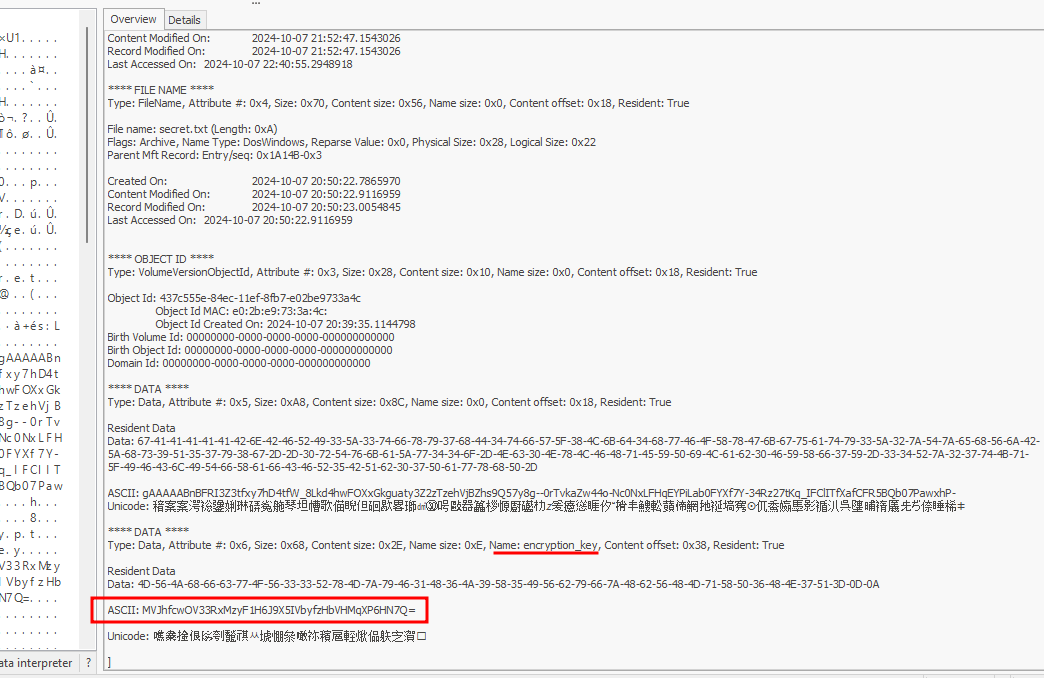
-
The key can be viewed and deduced to be: MVJhfcwOV33RxMzyF1H6J9X5IVbyfzHbVHMqXP6HN7Q=
Challenge 5
We’re in safe hands now. Decrypt the file and find the key. root{M4st3r_F1l3_t4bl3_1n_ntfs}
-
At this point we have the file and the awesomeScript.py that contains the algorithm and function used to encode our file.
-
Additionally from previous question, we have the encrypted file contents under attribute 0x5.
-
We can reverse the code to decrypt this as below:
from cryptography.fernet import Fernet, InvalidToken

key = b"MVJhfcwOV33RxMzyF1H6J9X5IVbyfzHbVHMqXP6HN7Q="

encrypted_data = (
    b"gAAAAABnBFRI3Z3tfxy7hD4tfW_8Lkd4hwFOXxGkguaty3Z2zTzehVjBZhs9Q57y8g--0rTvkaZw44o-Nc0NxLFHqEYPiLab0FYXf7Y-34Rz27tKq_IFClITfXafCFR5BQb07PawxhP-"
)

try:
    cipher = Fernet(key)
    decrypted_data = cipher.decrypt(encrypted_data)
    print(decrypted_data.decode("utf-8"))
except InvalidToken:
    print("Decryption failed: invalid key or encrypted token.")
The plain text is thus recovered as: secret={M4st3r_F1l3_t4bl3_1n_ntfs}
Conclusion
- By the end of this challenge, you should have learnt one or 2 things about the master file table. What happens when files are deleted, alternate data streams, and more about file systems.
- Hope you enjoyed the challenge, cheers!
